
Wireless & WiFi Site Survey Services for Reliable Business Networks
Wireless & WiFi Site Survey Services for Reliable Business Networks
Wireless and WiFi site survey services with RF analysis, heatmaps, AP placement, and clear reports for offices, warehouses, and business networks.
Business sites that need measured wireless/RF evidence before design, deployment, or troubleshooting.
Final report with heatmaps, site survey results, AP locations, SNR/noise/channel analysis, and remediation notes.
Send floor plans, square footage, critical devices, current AP model, and problem areas.
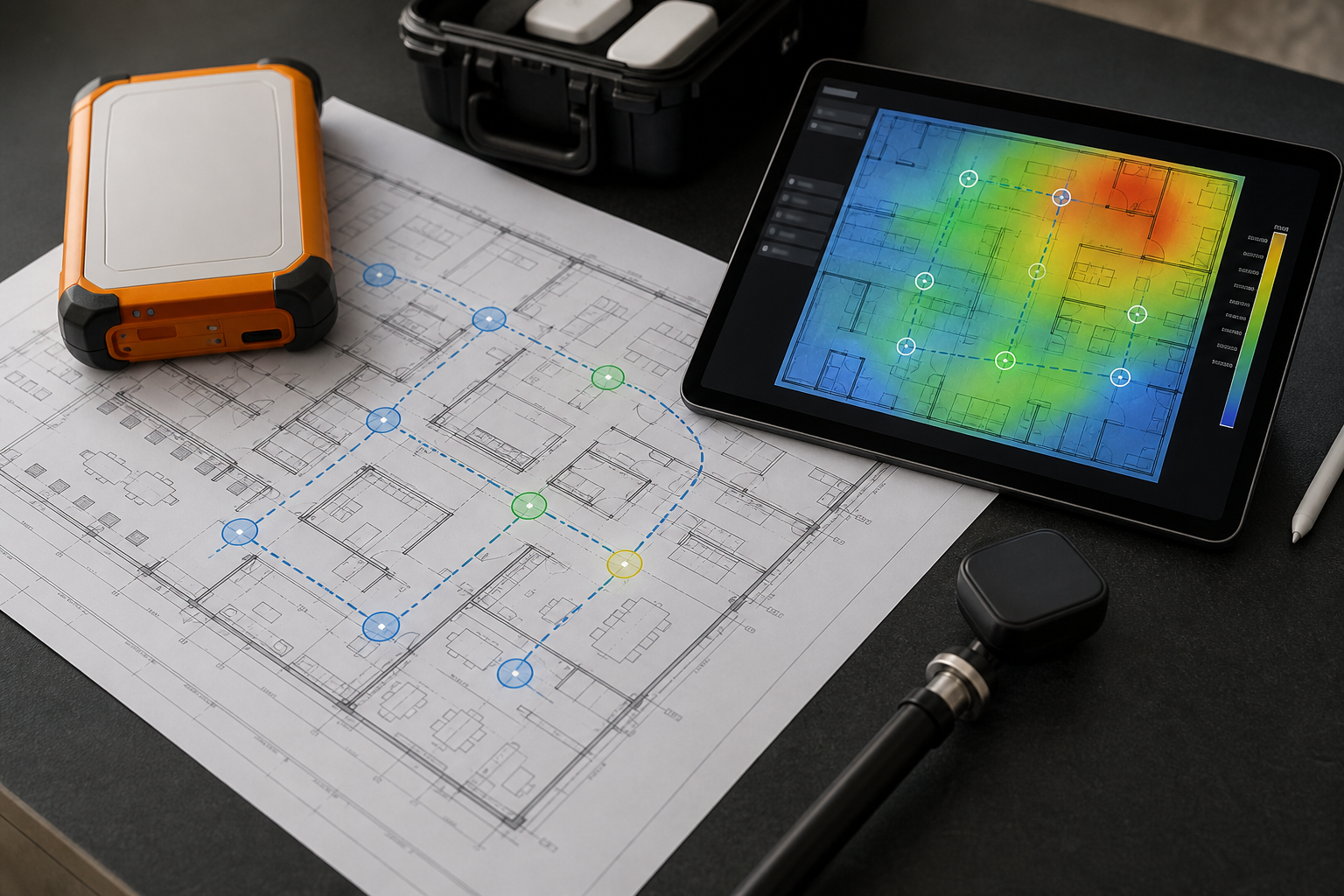
When business WiFi starts affecting operations, a guess is not enough. PacketScout provides professional wireless site survey services that combine measured WiFi site survey data, RF analysis, heatmaps, and practical access point recommendations for offices, warehouses, and business networks.
PacketScout translates the building, devices, users, and radio environment into clear site survey results your team can act on. Whether your team calls it a wireless site survey, WiFi site survey, RF site survey, WLAN site survey, or wireless site assessment, the goal is the same: measured evidence, practical recommendations, and fewer wireless surprises.
What a wireless site survey includes
A proper wireless site survey should answer more than “do we have signal here?” PacketScout looks at the full service requirement, including:
- where wireless coverage is strong, weak, or missing
- whether the network has enough capacity for real device density
- which walls, racks, doors, glass, shelving, elevators, or machinery change RF behavior
- where access point locations make sense for coverage, roaming, and cabling
- whether channel overlap, noise floor, or interference is hurting performance
- how 2.4 GHz, 5 GHz, and 6 GHz coverage should be treated differently
- how laptops, phones, tablets, cameras, barcode scanners, and mobile computers behave in the space
- what should be fixed before more hardware is purchased or mounted
The result is a practical wireless plan based on evidence, not assumptions.
RF site survey and WLAN site survey work
Different teams use different language. Some call this a WiFi site survey. Others call it an RF site survey, WLAN site survey, or wireless site assessment. The terms overlap, but they all point to the same business need: understanding whether the wireless environment can support the users, devices, applications, and building conditions in front of it.
PacketScout can support several survey types:
Predictive WiFi design
A predictive survey or predictive design is the planning step before hardware is installed. Using floor plans, wall materials, ceiling height, capacity goals, and device requirements, PacketScout models access point placement and coverage before cabling or mounting begins. For larger design planning, see our wireless network design services.
Onsite validation survey
An onsite validation survey measures what is really happening after access points are installed. This is where coverage heatmaps, signal levels, SNR, noise, channel overlap, roaming areas, and coverage gaps become visible. Validation is the proof step that confirms whether the WLAN meets the business requirement.
Troubleshooting survey
If users are already complaining, the survey focuses on problem areas: slow zones, dropped sessions, voice or video complaints, scanner disconnects, high retry rates, poor roaming, and RF interference. The deliverable is not just a picture of the problem; it is a fix list that can be acted on.
AP-on-a-stick or predeployment survey
For sensitive environments, a temporary access point can be tested in proposed mounting locations before permanent installation. This helps reduce surprises in buildings with unusual construction, high ceilings, dense shelving, concrete, metal, or complex floor plans.
What your wireless site survey report includes
PacketScout deliverables are designed to help both technical teams and decision makers. Depending on project scope, your final report can include:
- coverage heatmaps for the surveyed areas
- site survey results by floor, area, or problem zone
- signal strength, SNR, noise floor, and channel analysis
- interference and channel utilization findings
- recommended access point locations and AP placement changes
- notes for cabling, mounting, or design adjustments
- surveyor notes, photos, or location notes for planned equipment
- device-density, roaming, and capacity risks
- remediation notes ranked by priority
- validation criteria that can be checked after changes are made
The point is to give your team a clear next step, not just a folder of heatmap screenshots.
Warehouse WiFi, barcode scanners, and mobile computers
Warehouse WiFi behaves differently from office WiFi. Racking, inventory, forklifts, metal doors, freezer areas, loading docks, and high ceilings can all change RF performance. If barcode scanners or mobile computers are losing sessions, the issue may be roaming, power levels, channel reuse, coverage at scanner height, or interference in specific aisles.
PacketScout can evaluate warehouse WiFi survey requirements for barcode scanners, mobile computers, tablets, voice devices, cameras, guest access, and operational areas. Related guidance:
- warehouse WiFi design for scanners
- why barcode scanners drop WiFi in warehouses
- WiFi signal strength, SNR, noise, and channel overlap
When to schedule a wireless site survey
A survey is worth doing when wireless performance has become operationally important. Common triggers include:
- moving into a new office, warehouse, school, healthcare space, or retail location
- opening a second location and wanting the same wireless standard
- replacing aging access points
- adding tablets, scanners, phones, cameras, voice, video, or guest WiFi
- complaints about dead zones, slow areas, dropped calls, or scanner disconnects
- preparing for cabling, construction, or AP deployment
- needing proof that a vendor design is correct
- reducing unnecessary access point purchases
PacketScout's survey process
1. Discovery
We start with the business requirement: building type, square footage, floor plans, device types, critical applications, expected user density, current AP model, current switch/cabling constraints, and known problem areas.
2. Survey or design work
For onsite work, we walk the environment and gather wireless measurements. For predictive planning, we model the environment and coverage targets before installation. For troubleshooting, we focus measurement time on the areas where users feel pain.
3. Analysis
The raw survey data is translated into decisions: where coverage fails, what is causing interference, where APs should move, where power or channel changes are needed, and where physical construction affects performance.
4. Final report and next steps
You receive a practical report with findings and recommendations. The goal is to make the next action obvious, whether that means changing AP placement, adding cabling, validating a vendor plan, or scheduling a post-installation validation survey.
Related PacketScout resources
Use these PacketScout Field Notes when you want more technical detail before or after scheduling a wireless site survey:
- What a professional WiFi site survey report should include explains the heatmaps, RF findings, AP/channel notes, and remediation steps a business should expect.
- Warehouse scanner WiFi survey: what to check before blaming the scanner shows how PacketScout separates handheld problems from RF, roaming, channel, and application issues.
- Office WiFi survey: why good signal still fails Zoom and Teams calls covers airtime, SNR, conference-room density, retries, and video-call validation.
- How to use Ekahau Sidekick for a WiFi site survey is useful if your team is collecting survey data with rental gear.
Request a wireless or WiFi survey
If wireless performance matters to your business, start with a site survey instead of guessing. PacketScout can help you plan, validate, or troubleshoot the wireless environment and turn the findings into a practical deployment path.
Next step: contact PacketScout with your location type, floor plans if available, approximate square footage, current WiFi hardware, critical devices, and the problem you are trying to solve.
FAQ
What is a wireless site survey?
A wireless site survey is a professional assessment of a building's WiFi or WLAN environment. It measures or models coverage, interference, capacity, roaming, and access point placement so the network can be designed, validated, or fixed based on evidence.
Is a wireless site survey the same as a WiFi site survey?
In most business conversations, yes. “Wireless site survey,” “WiFi site survey,” “RF site survey,” and “WLAN site survey” are often used for overlapping work. PacketScout uses the terms together so IT, facilities, and operations teams can find the right service no matter which phrase they use.
When do I need an RF site survey or WLAN site survey?
You need an RF or WLAN site survey when signal quality, interference, roaming, channel overlap, or device behavior matters. It is especially useful before an AP deployment, after a network refresh, or when users report dead zones, dropped sessions, scanner disconnects, or unreliable voice/video.
What does the final report include?
Depending on scope, the final report can include coverage heatmaps, site survey results, access point locations, AP placement recommendations, SNR/noise/channel analysis, cabling or mounting notes, remediation steps, and validation criteria.
Do you support barcode scanners and mobile computers?
Yes. PacketScout can evaluate warehouse WiFi and business wireless environments where barcode scanners, mobile computers, tablets, phones, cameras, or other operational devices need stable connectivity and roaming.
Do I need predictive design or an onsite validation survey?
If the network has not been installed yet, start with a predictive survey or predictive design. If access points are already installed, an onsite validation or troubleshooting survey is usually more useful. Many projects use predictive design first and then a validation survey after installation.
Can I rent survey equipment instead of hiring a managed survey?
Yes. PacketScout supports both paths. Some teams rent equipment when they have the staff to collect and interpret the data. Other teams ask PacketScout to provide survey service, report review, or a hybrid approach when they need help turning measurements into decisions.
Ready to turn this into a survey plan?
PacketScout can help decide whether onsite survey work, wireless design services, WiFi heatmap reporting, equipment rental, or hybrid review fits best.