
WiFi Heatmap Services and Wireless Coverage Analysis
WiFi heatmap services that reveal coverage gaps, interference, channel overlap, and access point placement issues in business networks.
Teams that need measured coverage, SNR, noise, and roaming evidence.
Heatmap layers with plain-English findings and prioritized action items.
Share the site type, floor plan, and symptoms you want validated.
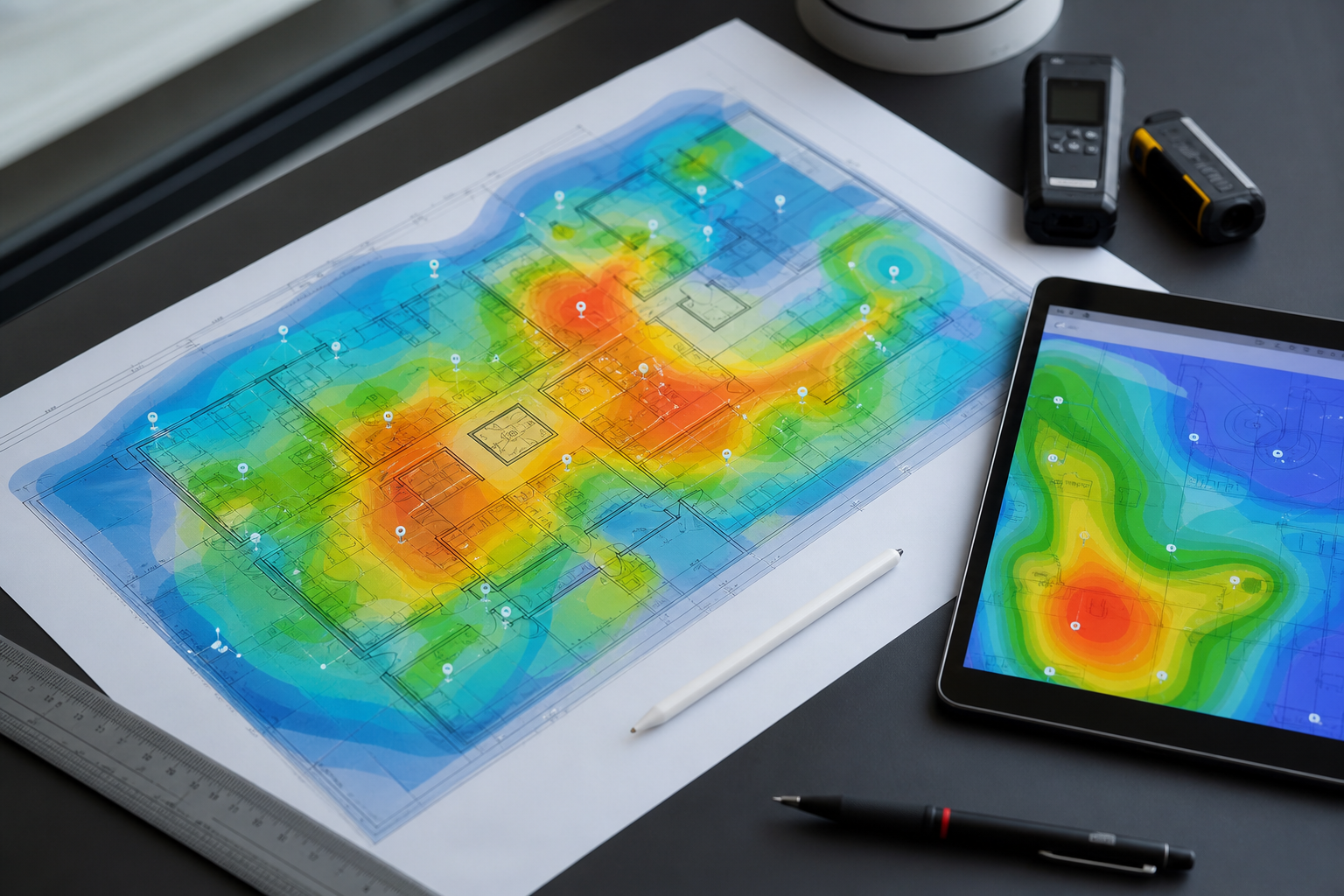
A WiFi heatmap turns wireless complaints into visible evidence. PacketScout provides WiFi heatmap services that show where coverage is strong, where it fails, and where the network needs design or configuration changes.
Heatmaps are useful because WiFi problems are rarely obvious from a controller dashboard alone. A dashboard can show that an access point is online. It does not always show that users in a conference room are roaming poorly, that warehouse racks are blocking signal, or that a nearby RF source is creating interference.
What a WiFi heatmap shows
A heatmap can visualize several important parts of the wireless environment:
- Signal coverage across the floor plan
- Weak areas and dead zones
- Areas where signal is too strong or overlapping poorly
- Channel overlap and co-channel interference risk
- Noise and interference patterns
- Signal-to-noise quality
- Band behavior across 2.4 GHz, 5 GHz, and 6 GHz
- Roaming boundaries between access points
- Differences between expected design and actual performance
The value is not only the map. The value is the interpretation and the fix plan.
Heatmaps for validation
After access points are installed, a validation heatmap confirms whether the network meets the requirement. This is the best time to catch missing coverage, APs mounted in the wrong location, incorrect antenna orientation, bad channel choices, or power settings that make roaming worse.
Validation is especially important when the WiFi network supports operations such as barcode scanning, mobile point-of-sale, voice/video, inventory systems, clinical devices, classrooms, or high-density guest usage.
Heatmaps for troubleshooting
When users complain about slow WiFi, dropped calls, or unreliable scanners, a troubleshooting heatmap helps isolate the cause. The issue may be coverage, but it may also be interference, client roaming behavior, AP placement, overloaded channels, or mismatched expectations between device type and network design.
A PacketScout troubleshooting heatmap focuses on the areas where the business impact is felt. The deliverable should identify what to change, not just confirm that a problem exists.
Heatmaps for planning
Predictive heatmaps can be created before deployment to compare AP placement options. This helps teams decide where to run cable, how many access points are likely needed, and where onsite validation should focus after installation.
Predictive maps are not a substitute for field measurement in complex environments, but they are a strong planning tool.
What makes a heatmap useful
A meaningful WiFi heatmap should include context. The same signal level can mean different things depending on the application. A hallway, conference room, warehouse pick aisle, lobby, training room, and outdoor transition area can all require different design decisions.
PacketScout reviews heatmaps against:
- Business-critical applications
- Device types and roaming needs
- User density
- Building materials
- Mounting options
- Cabling constraints
- Existing access point placement
- Future growth needs
Deliverables
A heatmap engagement can include:
- Floor-plan heatmaps
- Coverage and signal quality notes
- AP placement review
- Interference/channel observations
- Dead-zone and weak-area findings
- Priority remediation list
- Recommendations for AP moves, adds, removals, power changes, or channel changes
- Follow-up validation path
Common problems heatmaps uncover
- Access points placed for installer convenience instead of RF design
- Too much 2.4 GHz noise or channel reuse
- APs mounted above obstructions or inside poor RF locations
- High density rooms with insufficient capacity
- Warehouses where rack fill changes signal behavior
- Roaming boundaries placed in the wrong area
- Dead zones hidden behind walls, doors, glass, or metal
- Outdoor/indoor transition areas with poor handoff
Turn heatmaps into action
A heatmap is only useful if it leads to better WiFi. PacketScout turns the visual map into practical next steps: what to move, what to tune, what to add, what to validate, and what not to waste money on.
FAQ
What is a WiFi heatmap?
A WiFi heatmap is a floor plan visualization of wireless signal and performance data. It helps identify coverage gaps, interference, and access point placement issues.
Is a WiFi heatmap the same as a site survey?
A heatmap is usually part of a site survey. The survey includes measurement, analysis, interpretation, and recommendations; the heatmap is one of the visual outputs.
Can a heatmap find interference?
It can help identify patterns that suggest interference, and additional RF/spectrum analysis may be used when interference is suspected.
Do heatmaps work for warehouses?
Yes, but warehouse heatmaps must account for racks, product density, aisle layout, ceiling height, and moving inventory. Warehouse WiFi should not be treated like office WiFi.
Heatmap metrics to discuss with stakeholders
A heatmap report should be explained in plain language. Decision makers need to understand whether the issue is coverage, capacity, roaming, interference, channel overlap, or AP placement. Technical teams need enough detail to act: where to move APs, where to lower or raise power, where to validate after changes, and where physical building conditions are the limiting factor.
How to use the heatmap after delivery
The best next step after a heatmap is a prioritized action plan. PacketScout reviews where coverage, SNR, noise, channel reuse, roaming, cabling constraints, and AP placement point to a practical fix. The goal is not just a color map; it is a short list of changes that can be made, validated, and explained to stakeholders.
Related PacketScout service paths
Most projects touch more than one decision. Use these related PacketScout pages to move from education to a scoped survey, wireless design, heatmap review, rental, or quote.
WiFi heatmap services for Florida onsite validation
PacketScout heatmap work turns onsite RF measurements into coverage, SNR, channel, interference, and roaming findings that help you decide what to change next.
Start with WiFi heatmap services, compare expected budget in the WiFi site survey cost guide, and use office WiFi survey design or warehouse WiFi survey design when the environment has specific device or layout needs.
Florida and Orlando WiFi heatmap survey coverage
Need heatmap work tied to a live Florida site? PacketScout is based in Orlando and handles onsite WiFi heatmaps, RF measurements, and wireless survey reporting across Florida.
Use the Florida wireless site survey services page for statewide coverage, or the Orlando wireless site survey and WiFi heatmap services page for Central Florida projects.
Ready to turn this into a survey plan?
PacketScout can help decide whether onsite survey work, wireless design services, WiFi heatmap reporting, equipment rental, or hybrid review fits best.