
Office WiFi survey: why good signal still fails Zoom and Teams calls
Office WiFi survey: why good signal still fails Zoom and Teams calls
A practical guide to office WiFi survey checks for video calls: airtime, SNR, roaming, channel width, AP load, conference rooms, client mix, and validation beyond signal bars.
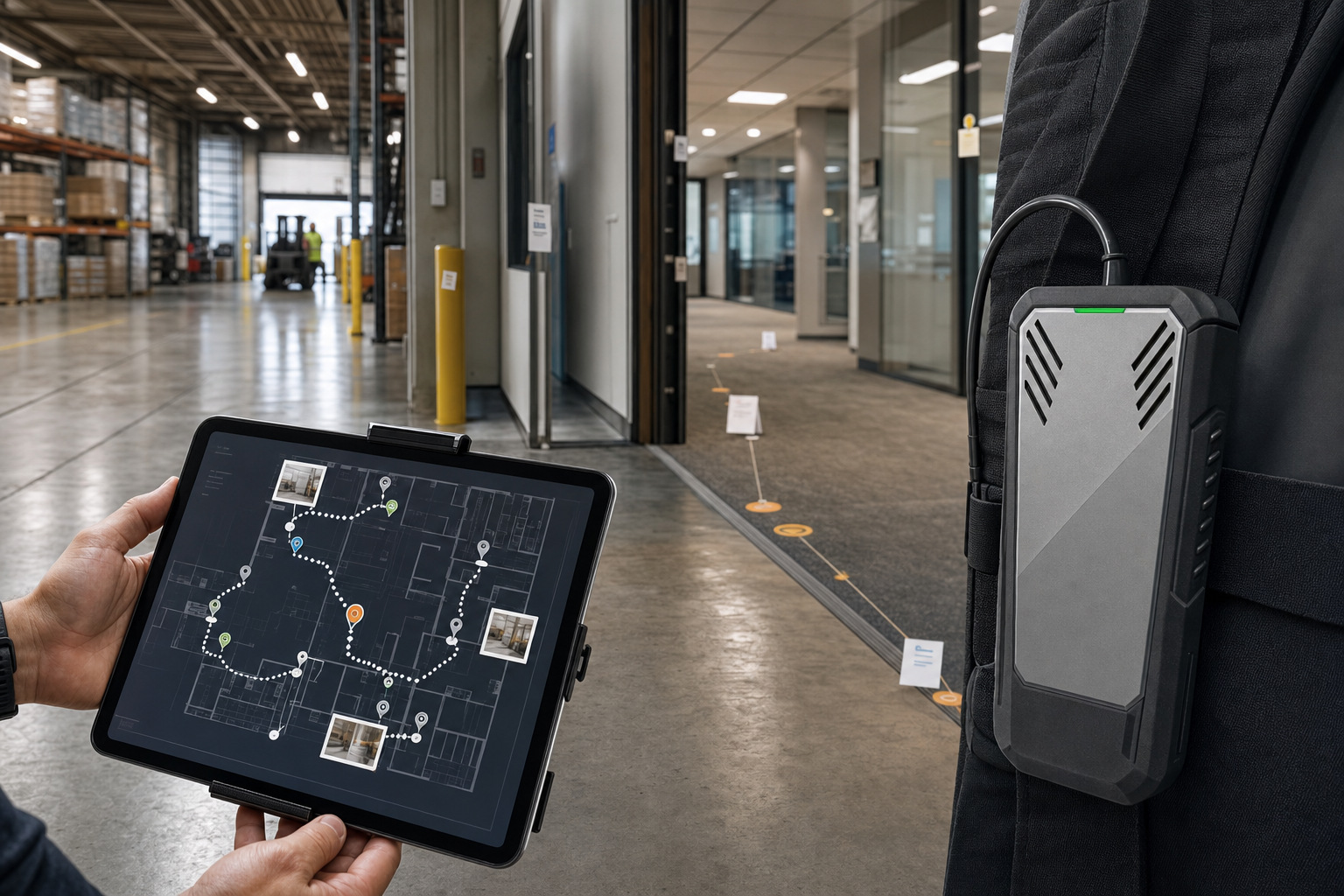
Office WiFi complaints often sound simple: “the signal is good but calls still freeze.” That statement is usually true. Signal strength is only one part of real time application performance.
Video and voice traffic expose issues that ordinary web browsing hides. A user can load email with retries and delay, but a video meeting needs stable airtime, low loss, usable SNR, reasonable latency, and clean roaming.
1. Why signal bars are not enough
Client signal bars are vague and vendor-specific. A laptop can show strong signal while suffering from high retry rates, poor SNR, channel contention, or interference. A proper office survey measures the RF environment instead of trusting the icon in the menu bar.
PacketScout looks at signal strength, noise, SNR, AP visibility, channel overlap, and whether the network design matches how people use the office.
2. Conference rooms are density problems
A conference room may look like one small room on a floor plan, but it can behave like a dense wireless zone. Ten to twenty laptops, phones, tablets, and room systems can gather in one space while everyone joins a call at once.
Surveying office WiFi means checking where people actually meet: huddle rooms, boardrooms, training rooms, open collaboration spaces, and shared desks. AP placement and channel reuse should support those density pockets.
3. Check airtime, retries, and channel overlap
Video problems often come from airtime stress rather than weak coverage. Wide channels, neighboring APs on the same channel, low data rates, or too many clients on one AP can create symptoms that users describe as “bad WiFi.”
The survey should identify whether the channel plan is clean, whether APs are overpowering each other, and whether client devices have enough usable airtime for real time traffic.
4. Watch roaming between work areas
Modern offices are mobile. People start a call at a desk, continue it through a hallway, join from a huddle room, and then move into a larger conference room. A network can look acceptable in a static coverage view and still create call freezes when a client holds the wrong AP too long or crosses a weak transition area.
For Zoom, Teams, VoIP, Wi-Fi calling, and softphones, the survey should treat roaming as a business workflow. PacketScout notes the paths people actually use while they are on calls: desk-to-room movement, lobby-to-office transitions, hallway edges, conference-room doors, and floor changes where the WLAN design can expose sticky-client or AP-overlap problems.
| Movement path | Critical app or device | What the survey should measure | What the report should decide |
|---|---|---|---|
| Desk to huddle room or small conference room | Zoom, Teams, softphone, Wi-Fi calling handset | Signal/SNR continuity, airtime pressure, retries, AP overlap at the doorway, and whether clients stay associated to the wrong AP during the move. | Whether AP placement, transmit power, minimum data rates, or room coverage need adjustment before users trust calls in that path. |
| Open office to larger conference room | Laptops, phones, room systems, collaboration displays | Capacity and airtime in the dense room, channel reuse nearby, and whether the room AP plan matches the number of simultaneous meeting clients. | Whether the room needs a design change, channel/power tuning, or validation after AP relocation rather than just another access point. |
| Hallway, lobby, elevator, or stair transition | Mobile users staying on a call while walking | Coverage dips, noise/SNR changes, overlapping AP candidates, roaming edges, and call symptoms that appear only while moving. | Whether the transition area needs design coverage, AP overlap cleanup, or client/SSID policy review. |
| Shared desks and mixed-client areas | New laptops, older clients, phones, tablets, guest devices | Client mix, band behavior, data-rate support, airtime fairness, and whether older or guest devices drag down real time performance. | Whether SSID, band, channel-width, or device policy decisions should change for the office workflow. |
The mechanics behind those decisions still come back to RF evidence. For a deeper explanation of signal, SNR, noise, and channel overlap, use PacketScout’s WiFi signal, SNR, noise, and channel overlap guide. The office survey should reference those measurements without pretending that one universal number guarantees good roaming.
Features such as 802.11k, 802.11v, and 802.11r can help in some designs, but they are not magic fixes. The survey report should separate RF/layout problems from WLAN configuration and client behavior, then recommend what to validate after changes are made. If the office is being redesigned or expanded, this is where the Field Note connects to PacketScout’s office WiFi survey and WLAN design work.
5. Validate the client mix
Office WLANs support more than laptops. Phones, tablets, printers, room panels, badge systems, collaboration displays, IoT devices, guest clients, and older devices may all compete for airtime.
The survey should not assume every client supports the newest WiFi standard. Design choices like minimum data rates, band steering, channel width, and SSID segmentation depend on the real client mix.
That is also why data collection discipline matters. See what PacketScout collects during a WiFi site survey for the measurement side behind these office-call decisions.
6. What to include in an office survey report
- Coverage and SNR heatmaps for the occupied areas.
- Conference-room and high-density notes.
- Channel reuse, channel width, and AP power observations.
- Client/roaming notes tied to common work paths.
- Clear remediation steps for AP placement, tuning, redesign, or validation.
Office WiFi survey FAQ
Can video calls fail with strong WiFi signal?
Yes. Strong RSSI does not guarantee low retries, clean airtime, good SNR, or stable roaming. Real-time calls need more than coverage.
Should office WiFi use wide 80 MHz channels?
Not always. Wide channels can reduce available clean channels and increase contention. Many business offices perform better with a cleaner channel plan than with maximum-width channels.
Do conference rooms need dedicated APs?
Sometimes. The answer depends on room size, client density, wall materials, neighboring APs, and usage patterns. A survey should validate the actual density need before adding APs.
Does an office WiFi survey need to test roaming for Zoom, Teams, or VoIP?
Yes. If people stay on calls while walking between desks, huddle rooms, conference rooms, hallways, or floor transitions, the survey should include those movement paths. The goal is not to promise a universal roaming threshold; it is to identify AP overlap, SNR and airtime changes, sticky-client behavior, and design or configuration decisions that could affect real time calls.