
Warehouse WiFi Survey and Design Services
Warehouse WiFi surveys, heatmaps, and predictive design for scanners, mobile devices, high racks, coverage gaps, and roaming issues.
Warehouses, scanners, forklifts, docks, racks, and shift-critical WiFi.
Aisle-path validation, AP/cell guidance, scanner risk notes, and fix priorities.
Send rack layouts, scanner models, AP count, and known drop zones.
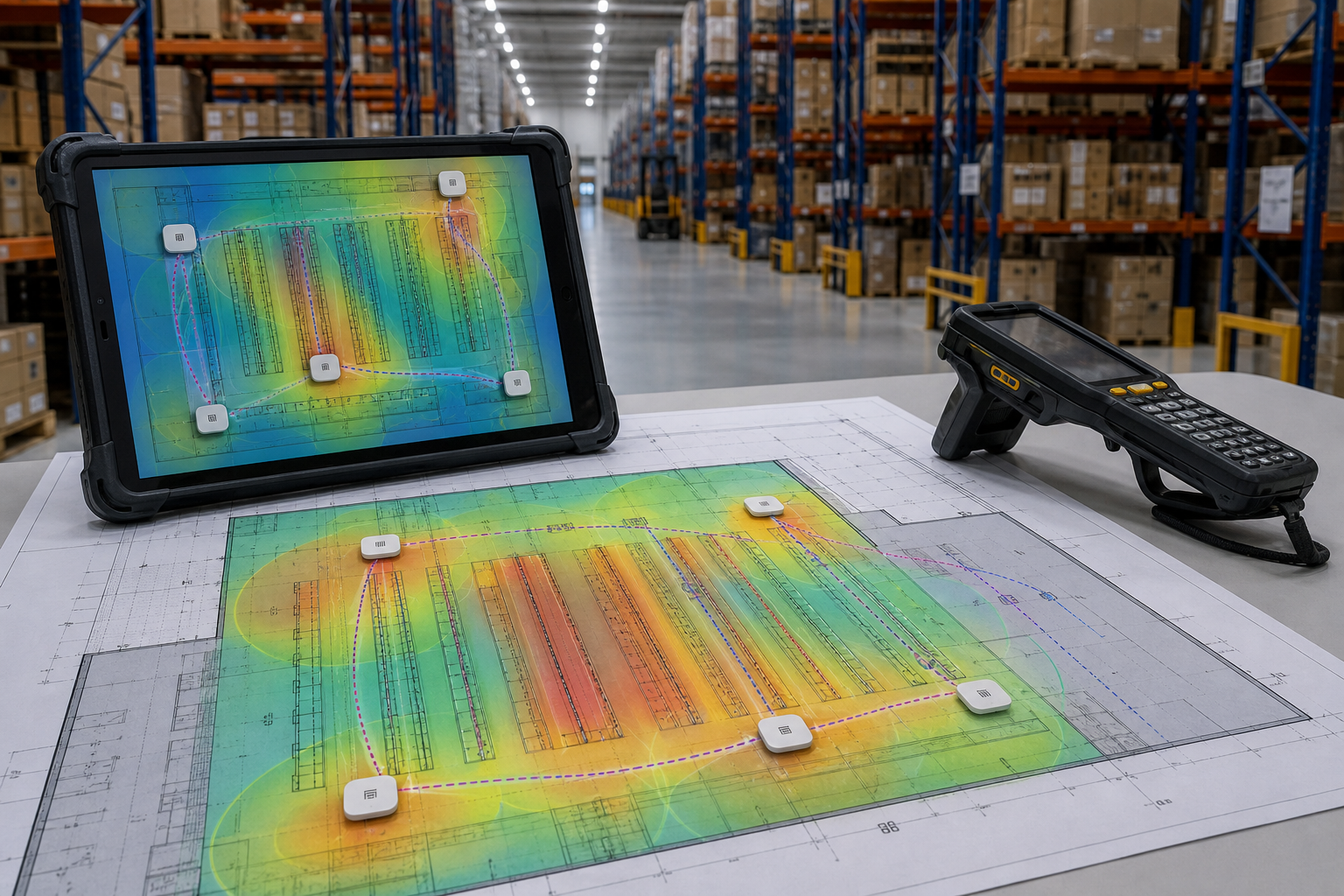
Warehouse WiFi has different rules than office WiFi. High ceilings, metal racks, moving inventory, forklifts, scanners, tablets, handheld terminals, and long aisles can create coverage and roaming problems that are not visible until operations slow down.
PacketScout provides warehouse WiFi survey and design services for teams that need reliable wireless coverage across receiving, storage, pick paths, packing, shipping, staging, offices, and outdoor transition areas.
Why warehouse WiFi fails
Warehouse wireless networks often fail for practical reasons:
- Access points are mounted too high or in the wrong aisles
- Rack fill changes RF behavior after the network is installed
- Barcode scanners roam differently than laptops
- 2.4 GHz devices stay in use longer than expected
- Coverage looks acceptable near an AP but fails in the aisle
- Metal, machinery, dock doors, and product density block or reflect signal
- Channel overlap creates retries and inconsistent performance
- Installers copy an office-style layout into an industrial space
A warehouse survey gives you the RF evidence needed to fix those problems.
Designed around warehouse workflows
The right WLAN design depends on how the warehouse operates. PacketScout reviews wireless needs across common warehouse zones:
- Receiving docks
- Put-away and replenishment areas
- Pick aisles
- Packing stations
- Shipping and staging lanes
- Returns areas
- Cooler/freezer or special storage areas when applicable
- Office areas inside the warehouse
- Outdoor yards or dock transitions when in scope
The design should support the devices that keep the operation moving, not just provide generic signal coverage.
Survey and design options
Predictive warehouse WiFi design
For new facilities or expansions, predictive design helps plan AP placement before cabling and lifts are scheduled. This is where floor plans, rack layout, ceiling height, and device requirements are translated into an access point plan.
Onsite warehouse validation survey
After installation, validation confirms whether the network supports real coverage and roaming in the aisles, docks, and work areas. This is especially important when rack fill or mounting conditions differ from the original plan.
Warehouse troubleshooting survey
If scanners drop, applications lag, or workers lose connectivity in specific aisles, a troubleshooting survey focuses on the pain points and identifies whether the cause is coverage, interference, roaming, AP placement, channel design, or client behavior.
What you receive
A warehouse WiFi deliverable can include:
- Heatmaps for warehouse zones and office areas
- Recommended AP locations and mounting notes
- Rack/aisle coverage observations
- Channel and interference findings
- Device-specific considerations for scanners and mobile terminals
- Coverage gap and roaming risk notes
- Prioritized remediation plan
- Validation recommendations after changes are made
Warehouse WiFi design priorities
Good warehouse WiFi design should balance:
- Coverage in the aisles, not just open areas
- Device roaming behavior
- Mounting height and antenna pattern
- Cabling feasibility
- 2.4 GHz legacy needs versus 5/6 GHz performance goals
- Capacity during busy shifts
- Operational risk of downtime
- Future rack or layout changes
Reduce downtime from wireless guesswork
Every scanner disconnect, frozen pick path, or unreliable handheld creates friction. PacketScout helps warehouse teams move from complaints to a measured wireless plan.
FAQ
Why is warehouse WiFi harder than office WiFi?
Warehouses have more RF obstructions, higher ceilings, metal racks, moving inventory, and specialized devices. These factors make AP placement and validation more important.
Can you survey active warehouses?
Yes. Scope and timing should be planned around operations, safety requirements, and access to the areas that need measurement.
Do barcode scanners need special WiFi planning?
They often do. Scanner roaming behavior, band support, transmit power, and application sensitivity can affect the design.
Should warehouse WiFi be validated after installation?
Yes. Predictive design is valuable, but real rack fill, mounting conditions, and device behavior should be validated onsite.
Pre-survey checklist for warehouse WiFi
Before a warehouse survey, gather a floor plan, rack layout, ceiling heights, dock-door locations, current AP model and count, scanner or handheld model details, known trouble aisles, operating hours, safety/access requirements, and any planned changes to rack fill or workflow. If the warehouse has cold storage, outdoor yards, mezzanines, or manufacturing areas, those should be identified during scope.
Why warehouse pages deserve their own SEO target
Warehouse WiFi searchers usually have a different problem than office searchers. They are often dealing with scanners, inventory systems, long aisles, metal racks, shift downtime, and coverage that changes as product moves. A dedicated warehouse page lets PacketScout speak directly to those pain points and rank for combinations like warehouse WiFi design, warehouse wireless site survey, and barcode scanner WiFi problems without watering down the general WiFi survey page.
Operational outcomes to emphasize
The business result is not just a prettier heatmap. A good warehouse wireless project should reduce scanner drops, avoid dead aisles, improve roaming along pick paths, support future rack changes, and give IT a documented plan for access point placement. The page should include a strong CTA for operations managers and IT teams: send floor plans, scanner models, and the top three problem locations.
Related PacketScout service paths
Most projects touch more than one decision. Use these related PacketScout pages to move from education to a scoped survey, wireless design, heatmap review, rental, or quote.
Barcode scanner WiFi validation for warehouses and mobile computers
Barcode scanner WiFi problems usually show up as dropped sessions, delayed scans, reconnect loops, or roaming failures along aisles, docks, pick paths, and staging areas. A warehouse WiFi survey has to test the way scanners and mobile computers actually move, not just whether a laptop shows signal near an access point.
PacketScout looks at scanner bands, minimum RSSI, SNR, channel overlap, sticky-client behavior, rack shadowing, dock-door interference, and whether devices roam before workers reach the next aisle. The goal is a warehouse wireless design that supports scan reliability, WMS uptime, and future rack or inventory changes.
- Validate scanner coverage along real pick paths and high-turn areas.
- Check roaming behavior across aisles, freezer/cooler areas, docks, and staging zones.
- Separate RF coverage issues from device profile, security, DHCP, or application-session problems.
Read why barcode scanners drop WiFi or review the warehouse scanner WiFi survey guide.
Ready to turn this into a survey plan?
PacketScout can help decide whether onsite survey work, wireless design services, WiFi heatmap reporting, equipment rental, or hybrid review fits best.