
How to prepare floor plans for Ekahau survey work
How to prepare floor plans for Ekahau survey work
How to prepare floor plans for Ekahau/Sidekick survey work: scale, zones, labels, photo map risks, warehouse aisles, and review checks.
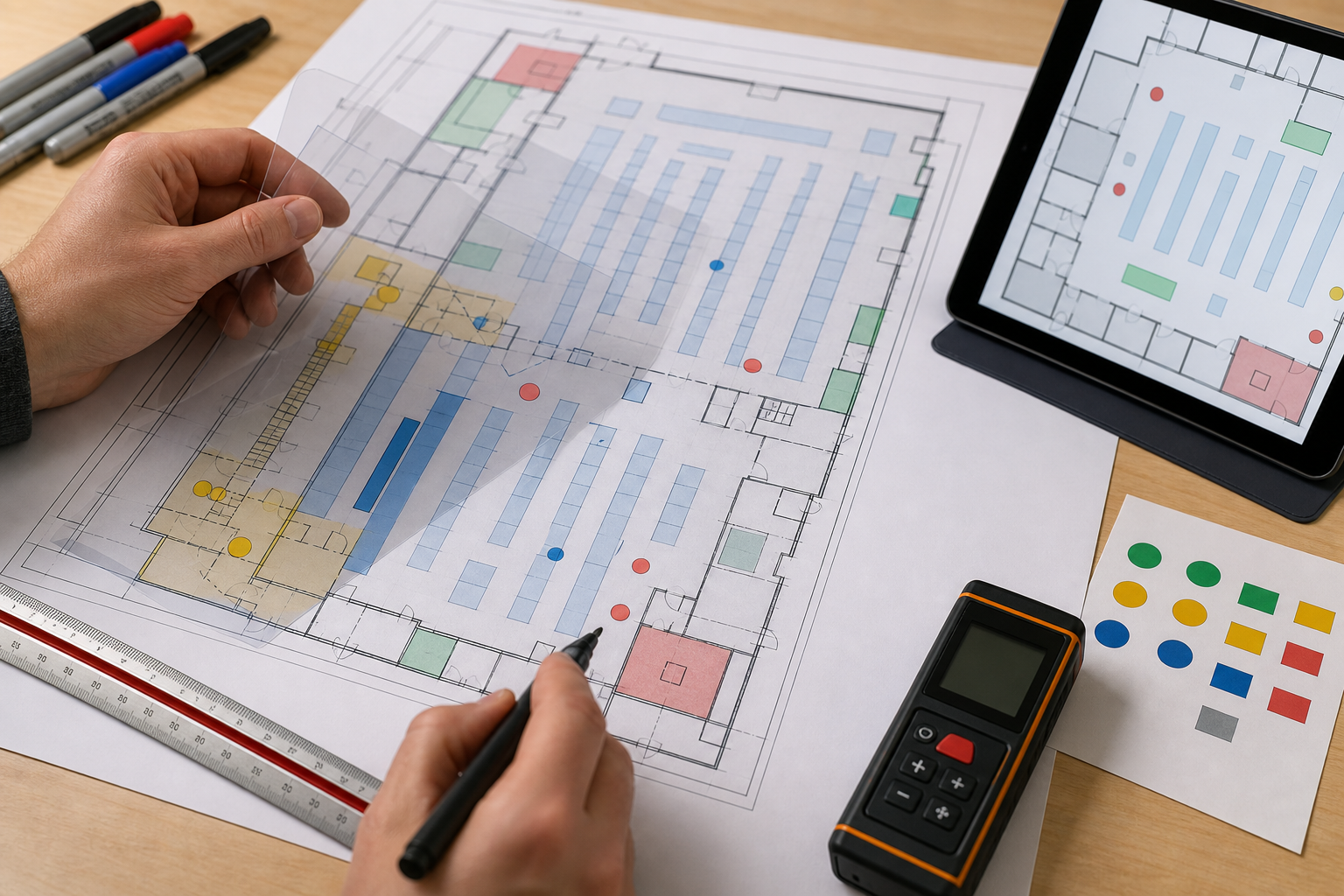
A WiFi survey can collect strong RF data and still produce a weak report if the floor plan is wrong. Map preparation is not busywork. It determines scale, path alignment, area labels, report clarity, and whether the survey can be defended later.
This guide explains how to prepare floor plans for Ekahau/Sidekick survey work. Check current Ekahau documentation for current import methods and app specific steps.
Why floor plan quality matters
The survey path is tied to the floor plan. If the plan is distorted or unscaled, the report may place measurements in the wrong locations. That can lead to incorrect AP placement, incorrect coverage assumptions, and wasted follow up work.
Ekahau’s iOS map import support material notes that maps may be imported from sources such as a photo library, camera, or Apple Maps, and it warns that photos of physical plans can distort scale because of camera perspective or lens distortion. That warning matters: a distorted map can make a careful walk look sloppy.
Best floor plan sources
Preferred sources:
- architectural PDF or CAD derived floor plan
- clean life safety/fire plan with consistent scale
- current facilities drawing
- remodel/as built plan
- warehouse layout drawing with aisles/docks
- office plan with room names and conference rooms
Less ideal sources:
- phone photo of a wall map
- screenshot of a screenshot
- marketing lease plan with missing walls
- outdated construction drawing
- plan with no known measurement
- plan that combines multiple floors or areas into one confusing image
If a poor plan is the only option, document the limitation and verify scale carefully onsite.
Floor plan preparation checklist
| Check | What to do |
|---|---|
| Correct area | Confirm building, floor, suite, warehouse, or zone. |
| Current layout | Note remodels, removed walls, new racks, locked rooms, and temporary partitions. |
| Scale | Use a known dimension and verify it onsite. |
| Orientation | Align north/front/dock/entrance labels so reviewers understand the map. |
| Labels | Name floors, aisles, docks, conference rooms, labs, and zones. |
| Scope | Mark areas in scope, out of scope, or not accessible. |
| Size | Split huge areas if path alignment becomes hard to review. |
| Clarity | Remove clutter that makes walking alignment difficult. |
Warehouse map considerations
Warehouse maps need operational labels along with walls:
- aisle numbers
- rack rows and zones
- dock doors
- staging lanes
- freezer/cold storage boundaries
- office/mezzanine areas
- receiving/shipping zones
- automation/AMR paths if in scope
- scanner complaint zones
- safety restricted areas
A warehouse report is easier to act on when the recommendation says “recheck scanner drops in Aisle 12 near Dock 6” instead of “yellow area near the back.”
Office map considerations
Office surveys should label:
- conference rooms
- open office areas
- private offices
- training rooms
- lobbies and guest areas
- IDF/MDF rooms if relevant
- multi floor roaming paths
- areas with video call complaints
- rooms with dense glass, concrete, or unusual partitions
Map scale sanity check
Before the full survey, walk a short known path and check whether the plotted path looks believable. If the path looks stretched, compressed, rotated, or offset, fix the map before continuing.
Good scale references:
- measured hallway segment
- room width from plan or tape measure
- warehouse aisle length
- exterior wall dimension
- known dock spacing
- facilities provided drawing scale
Do not rely on visual guesswork if the survey result will drive AP placement or cabling decisions.
When to split a large floor plan
Split a plan when:
- the map is too large to place path points accurately
- zones have different operational requirements
- a warehouse has multiple buildings or expansions
- the floor has separate office/warehouse areas
- reviewers need simpler report sections
- safety/access limits prevent one continuous walk
Splitting should make the survey easier to collect and review, not hide missing coverage.
PacketScout next steps
- Preparing to survey with Sidekick? Use the Ekahau Sidekick Pre Survey Checklist.
- Need an end to end Sidekick workflow? Read How to Use Ekahau Sidekick for a WiFi Site Survey.
- Need PacketScout to handle the work? Start with WiFi site survey services or Ekahau WiFi survey services.
Common floor plan failure modes
| Failure mode | Why it hurts the survey | How to fix it |
|---|---|---|
| Photo taken at an angle | Distorts walls and scale | Use a clean digital plan or retake straight on, then verify scale |
| Outdated plan | Survey path does not match current walls/racks | Mark changes or request an updated drawing |
| No known measurement | Scale becomes guesswork | Use a corridor, room, exterior wall, aisle, or dock spacing measurement |
| Too much clutter | Walker cannot align path accurately | Crop/clean the map before import |
| One giant warehouse image | Hard to place points accurately | Split into zones, aisles, docks, or operational areas |
| Missing labels | Report recommendations become vague | Add room, aisle, dock, and zone names before walking |
Floor plan cleanup workflow
- Start with the cleanest available plan.
- Remove irrelevant layers or clutter that make the survey path hard to see.
- Crop to the area in scope.
- Add names for floors, zones, aisles, docks, and critical rooms.
- Mark areas that are out of scope or inaccessible.
- Add at least one known measurement for scale.
- Save a copy of the cleaned plan and the original source plan.
- Open the plan in the survey workflow before arriving onsite.
- Walk a short test path and verify that the path matches reality.
What to send PacketScout before a survey
For faster planning, send:
- PDF/image floor plans for each area
- any known measurements or drawing scale
- list of floors/areas in scope
- areas that may be locked or unsafe to enter
- warehouse aisle/dock labels if applicable
- AP locations if known
- known complaint areas
- scanner/client device details if the issue is device specific
Good floor plans do not guarantee a perfect design, but bad floor plans almost guarantee rework.
Review questions before importing the map
Before the plan goes into the survey workflow, answer these questions:
- Can someone who has never visited the site understand the map labels?
- Is there at least one trustworthy measurement for scale?
- Are the critical business areas visible, such as docks, conference rooms, freezer doors, scanner aisles, or labs?
- Are excluded or locked areas marked so the final report does not imply they were surveyed?
- Would an AP recommendation based on this map be actionable for cabling, lift access, and facilities review?
If the answer is no, fix the map first. Survey data collected on a confusing plan usually creates a confusing report.
FAQ
Can we use a photo of a floor plan?
Sometimes, but photos of physical plans can distort scale because of camera perspective or lens distortion. A clean digital plan is usually better when available.
What measurement should we use for scale?
Use a known real world measurement such as a corridor length, room width, exterior wall, warehouse aisle, or other dimension that can be verified onsite.
Should warehouses use one huge map?
Not always. Large warehouses may be easier to survey and review when divided into clear zones, floors, docks, aisles, or operational areas.
Why floor plans matter for rental customers
Floor plan cleanup matters even more when you rent equipment and walk the site yourself. A bad scale, missing room labels, or blurry photo of an evacuation map can waste the rental window before the RF work even starts.
Before the kit arrives, get a clean plan, mark the areas in scope, confirm scale, and label the problem zones. If you are renting Ekahau Sidekick, this prep is the cheapest way to avoid a second rental day.
If the plan is questionable, fix that before worrying about AP count.
Want PacketScout to review the site?
Send the floor plan, square footage, AP model, critical devices, and the problem you are trying to solve.